ADFS
Understanding ADFS in simple language
12/8/20253 min read
ADFS:
External applications outside the company use ADFS to validate user credentials and connect to the applications. Basically, ADFS provides SSO (Single Sign-On) to web-based applications that support federation protocols such as SAML, WS-Federation, or OAuth/OpenID Connect.
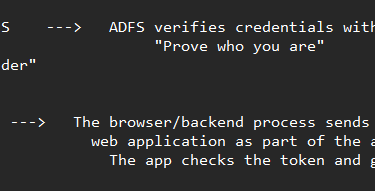
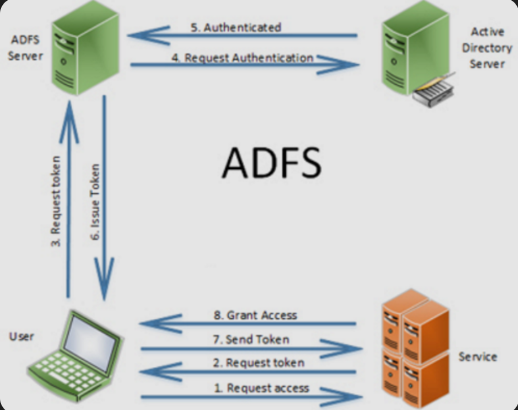
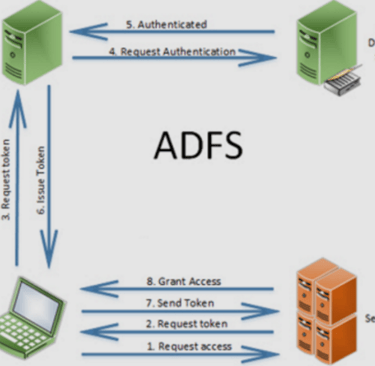
Here is the basic workflow of how authentication through ADFS works:
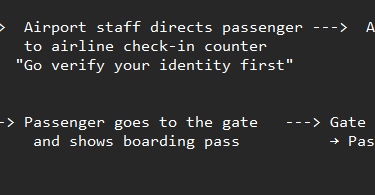
For easy understanding, compare this to what happens when you go to the airport.
When do we need ADFS?
To use our companies credentials (AD account) to authenticate to the third party application (ex: zscaler, service now).
When applications need to be accessed across two different domains or organizations (such as Domain A and Domain B), creating traditional AD Trusts becomes costly and creates significant security challenges.
ADFS solves this problem by enabling federation, which allows organizations to establish a trust relationship without creating an AD Trust. So what we mean by Federation is to 'Federate part of your forests' or 'exchange your forests metadata' with other companies for SSO
Through federation, organizations exchange federation metadata (claims rules, certificates, endpoints), enabling users from one domain to authenticate in their own AD but still access applications in the partner organization.
How does it work?
ADFS enables you to authenticate to a web application without giving your credentials to the application directly. When you try to access a website integrated with your company’s ADFS, the website redirects you to ADFS for authentication. You log in with your AD credentials, and ADFS verifies them. After successful authentication, ADFS issues a security token containing your identity claims. This token is sent back to the application, which uses it to grant you access. The token is valid for a configured period (for example, 8 hours).
Real time scenario:
Let's assume there is a user Maz who is trying to authenticate to zscaler application, he uses his AD credentials which are in Active Directory. Our company will have a Federation server called ADFS. And target company which doesn't know anything about our company or forest and is not connected through any FW, it will also have a Federation server.
Now when authenticating with zscaler, I will share metadata (AD attributes) with target company in XML format and I will ask similar information in XML format from target company. When these XML's are shared between two companies a trust is formed. This is called Relying partying trust. You can see if under ADFS console.
Note: metadata means what all AD attributes we are sharing with target company or what types of claims are you passing. We are not providing our entire AD attributes with target company as is its again a security concern. In XML format or Relying party trust, we will define what AD attributes we are sharing like SamAccountName, Lastname, email in certain conditions., and those conditions are called claims.
In the claim rule we will predefine a condition that I will send you Email or samAccountName and when target company reply (if MFA/OTP required that is asked), when all transaction is complete, a service token is provided and I will be legitimate user.. Learn more about "How SAML authentication works?"
All these exchange of XML files and claim rules uses a protocol as mentioned above
Terminology: Here we have 2 parties
Relying Party: This is the target company application (ex: Service now) which your company use for ticketing system. They treat you as a trusted source.
Identity provider (IDP): In the market there are different software's to provide IDP/SSO/Federation Services such as Okta, Entra ID (Formerly Azure AD). Almost all software are inter compatible with each other. (like okta with ADFS). ADFS is an old technology, that's MS is encouraging to get rid of it.
Interview Question
Ex: If someone ask what kind of authentication protocol used in internal AD environment.
Kerberos
If that's failing, you can fall back to NTLM